> For the complete documentation index, see [llms.txt](https://docs.cainos.net/llms.txt). Markdown versions of documentation pages are available by appending `.md` to page URLs; this page is available as [Markdown](https://docs.cainos.net/interactive-pixel-water/setup-guide.md).
# SETUP GUIDE
### Lighting Support for URP and URP 2D
By default, the water shaders are in built-in unlit type. Import the `Patch - URP Lit` to add lighting support for normal 3D lights in URP.
For URP 2D Lighting, please import the patch version that corresponds to your Unity version:
* Before Unity 6: Import `Patch - URP 2D Lit`
* Unity 6.0 to 6.2: Import `Patch - URP 2D Lit - Unity 6.0 to 6.2`
* Unity 6.3 and later: Import `Patch - URP 2D Lit - Unity 6.3`
In Unity 6, you should also turn off the `Compatibility Mode` in `Project Settings>Graphics`, as the water rendering depends on the Render Graph.
After importing the patch, you need to add a `Pixel Water Renderer Feature` to your current Universal Rnder Pipeline Asset, and set the `Behind Water Mask` to the layers you want to be shown behind the water.
Be noted, you must not include the water layer in the `Behind Water Mask`.
### Change Water Area Size with Handles
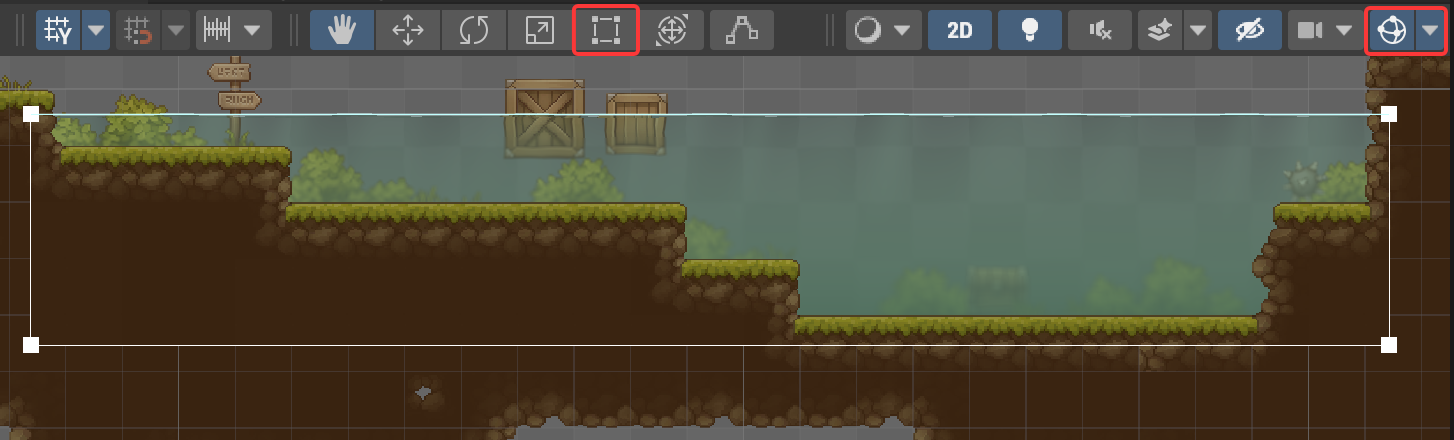
You can drag the four white square handles at the corners to change the size of the water.
For the handles to be displayed, you need to select the water object and have the gizmos visibilty toggle on (the top right highlighted button).
Please do not selec the Rect Tool (left highlighted button) while using the size handles. The handles of the Rect Tool will overlap with the size handles.
### Custom Sort Axis
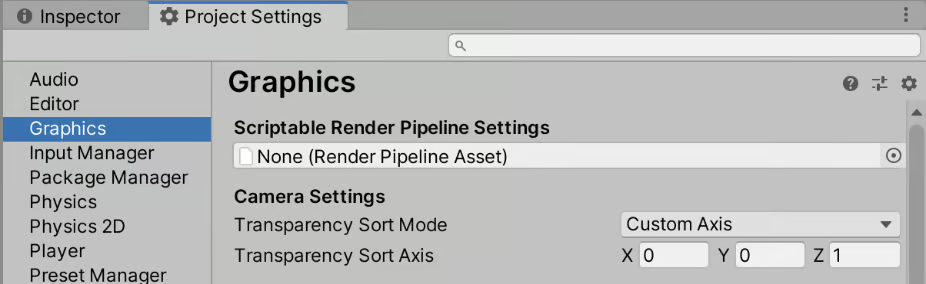
It is recommended that you set `Transparency Sort Mode` to `Custom Axis` and `Transparency Sort Axis` to `(0,0,1)` at the Graphics settings.
### Color Space
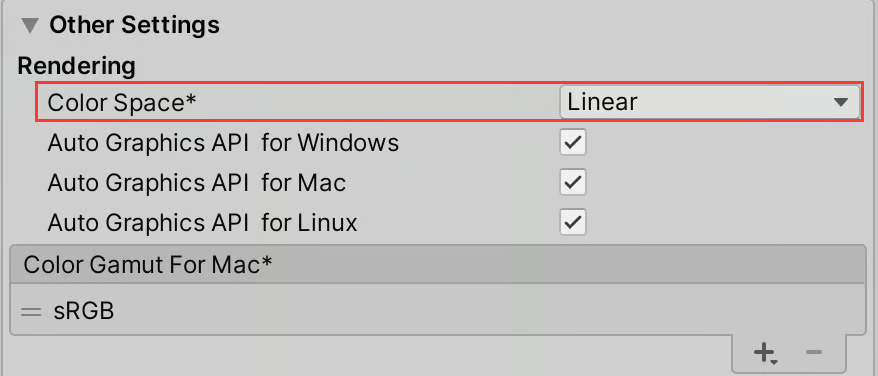
It is recommended to use `Linear` color space with this asset. You can find it in `Project Settings/Player/Other Settings`.